
The ACFR Accelerator for state and local government
Close the month with confidence. Build the ACFR from the same numbers.
aiACFR turns the trial balance you already export into reviewed monthly financials, error checks, budget analysis, and a full ACFR worksheet, with the security controls government data requires.
Works with exports from any accounting system: CSV or Excel trial balances, no integration project required.
Product tour
See aiACFR in about 90 seconds
From the month-end trial balance to the ACFR: automated review, AI explanations, AI-suggested entries, worksheet adjustments, statements and controls. No sound needed; captions are on screen.
Read the tour as text
- aiACFR, the ACFR Accelerator for state and local government: monthly close, error checks, analysis and the ACFR from one trial balance.
- Sign in with single sign-on, Google, or a password with two-factor authentication.
- Upload the trial balance you already export, as CSV or Excel. After every upload, aiACFR offers an AI review by Claude.
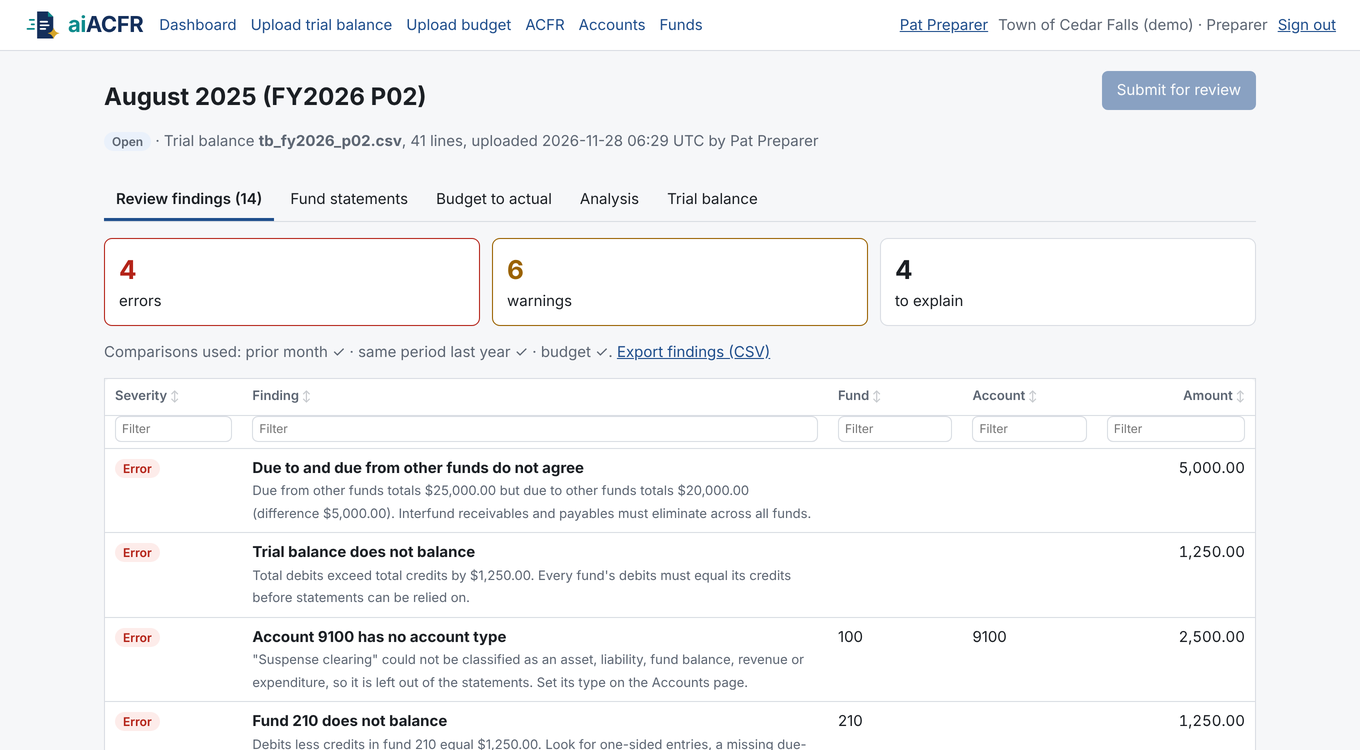
- Every upload is checked automatically for errors, warnings and items to explain: unbalanced funds, unmapped accounts, interfund mismatches and budget overruns.
- Budget to actual is measured against the share of the year elapsed.
- Claude explains why each item may be an issue and what to check. It's advisory only: your team reviews, dismisses and documents every item.
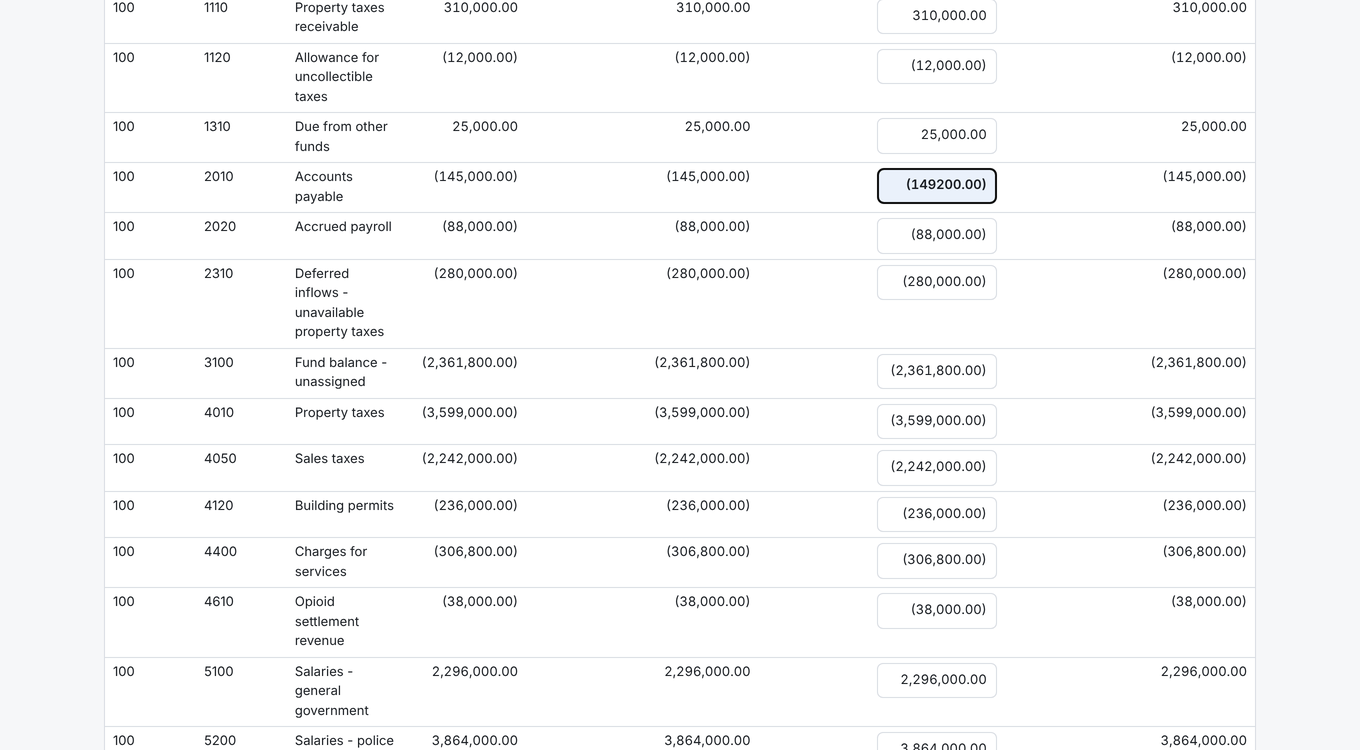
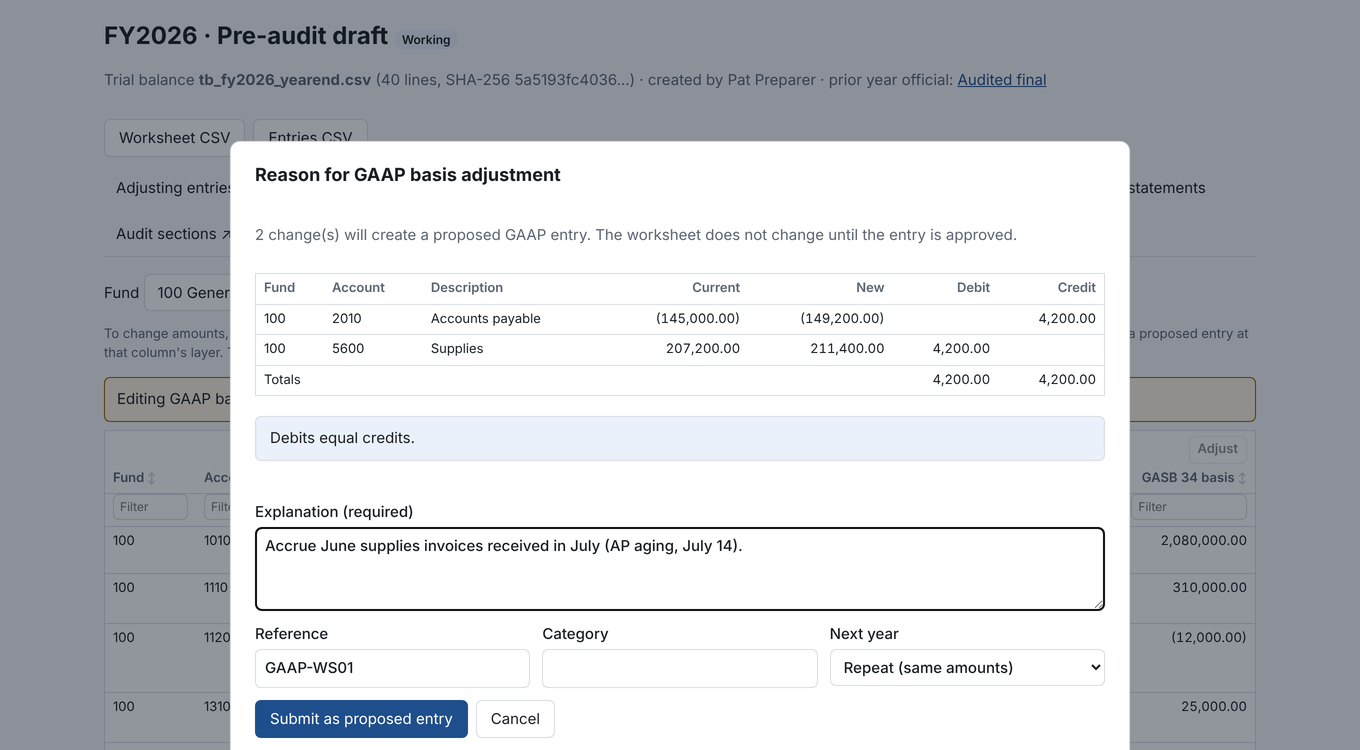
- On the ACFR worksheet, click Adjust and type the new amounts, and aiACFR proposes the balanced journal entry. Every change needs a reason and an approval.
- New: on the ACFR Analysis tab, Claude suggests this year's entries from last year's. Each suggestion shows why it's proposed, last year's entry, this year's amount and what to verify. They're saved as proposed entries labeled "Proposed by AI", and nothing posts until a person approves.
- Budget, GAAP and GASB 34 layers produce the fund and government-wide statements.
- Tie every audit section to its supporting schedules, on demand.
- Export the basic financial statements to Excel, formatted your way.
- Optional segregation-of-duties rules, chosen by your administrator, and a tamper-evident audit log of every sign-in, upload, entry and approval.
Shown with a sample town and sample data. AI responses in the tour are examples.
Catch errors before your auditors do
Every upload is checked automatically: funds that don't balance, unmapped accounts, due-to/due-from and transfer mismatches, negative cash, abnormal balances, spending over or without appropriation, and swings against last month and last year.
From trial balance to ACFR
Layer budget-basis, GAAP and GASB 34 adjustments on the year-end trial balance, roll last year's entries forward, tie every audit section to its support, and export the basic financial statements to Excel.
Built for public-sector security
Each government's data is kept separate by the database itself. Single sign-on or two-factor sign-in, segregation-of-duties controls, and a tamper-evident audit log of every action come standard.
Monthly close
A clear review queue every month
- Errors, warnings and items to explain, each with the reason it matters
- Fund statements, budget to actual and year-over-year analysis
- Preparer submits, a different reviewer approves and closes
ACFR preparation
Adjust the worksheet, and the journal entry writes itself
- Edit any column; aiACFR proposes the balanced entry at the right layer
- Every change needs a reason and an approval
- Government-wide statements and both GASB 34 reconciliations, tied out
AI assistance, on your terms
A second set of eyes on every trial balance
Ask questions about the month's numbers, and have Claude review each upload for potential issues, with a plain-language explanation of why each one may matter. Off until your administrator turns it on; advisory only; every request logged.
How AI assistance works →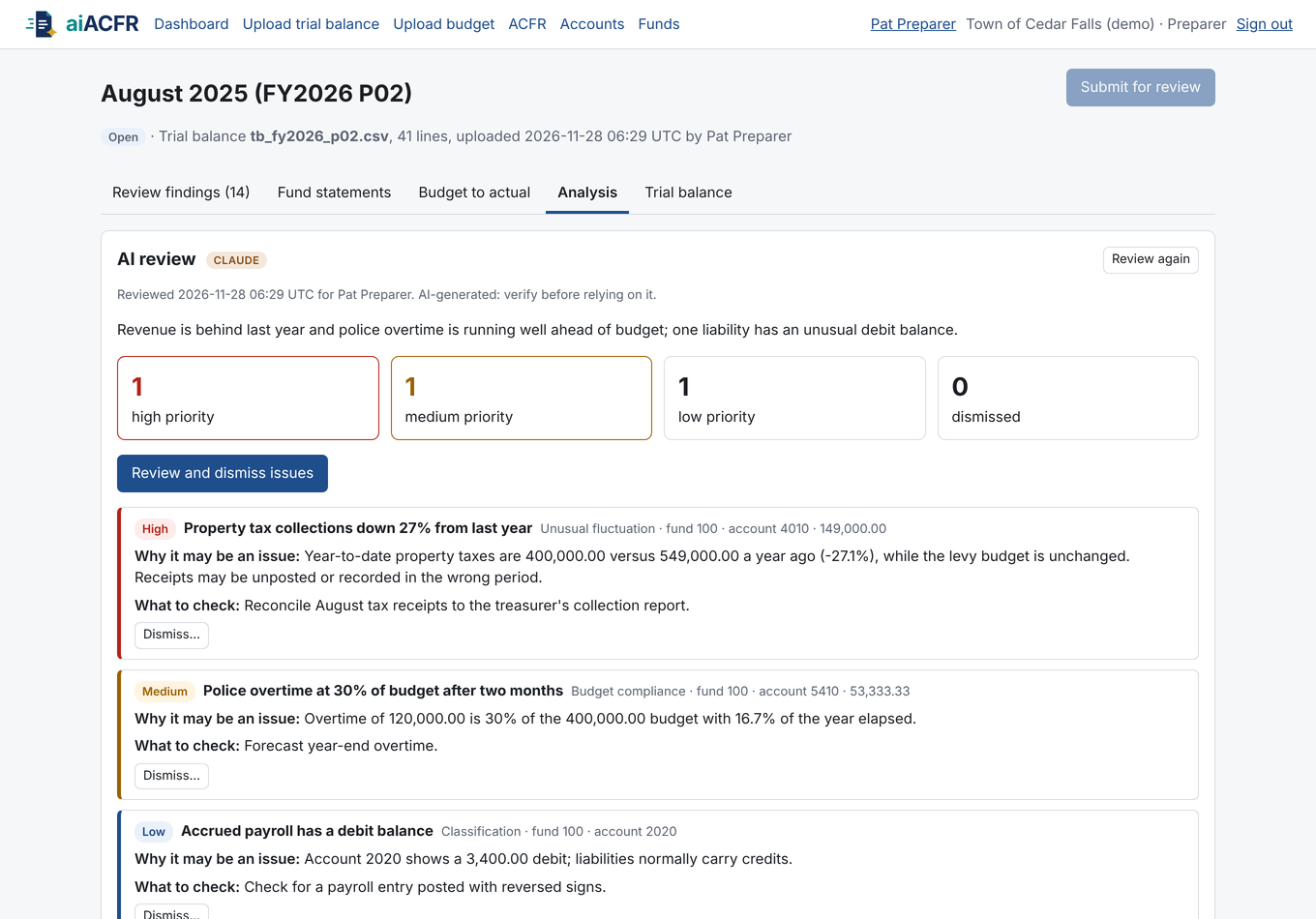
Security your IT and audit teams can verify
Row-level security means one government's records are invisible to another's, even to the application itself.
Your own single sign-on, Google sign-in, or passwords with two-factor authentication and account lockout.
Optional rules for who can approve entries, close months and mark the ACFR official.
Every sign-in, upload, adjustment and approval is recorded in a hash chain that reveals any alteration.
See it with your own trial balance
Bring a month-end export from your system and we'll walk through the review, the analysis and the ACFR worksheet together.
The live demo is the City of Riverbend: sample data you can change freely. It goes back to the original every night.