Product
Everything between the trial balance and the audited ACFR
aiACFR works from the trial balance you already produce, so there's nothing to replace and no integration to wait for.
Product tour
See aiACFR in about 90 seconds
From the month-end trial balance to the ACFR: automated review, AI explanations, AI-suggested entries, worksheet adjustments, statements and controls. No sound needed; captions are on screen.
Read the tour as text
- aiACFR, the ACFR Accelerator for state and local government: monthly close, error checks, analysis and the ACFR from one trial balance.
- Sign in with single sign-on, Google, or a password with two-factor authentication.
- Upload the trial balance you already export, as CSV or Excel. After every upload, aiACFR offers an AI review by Claude.
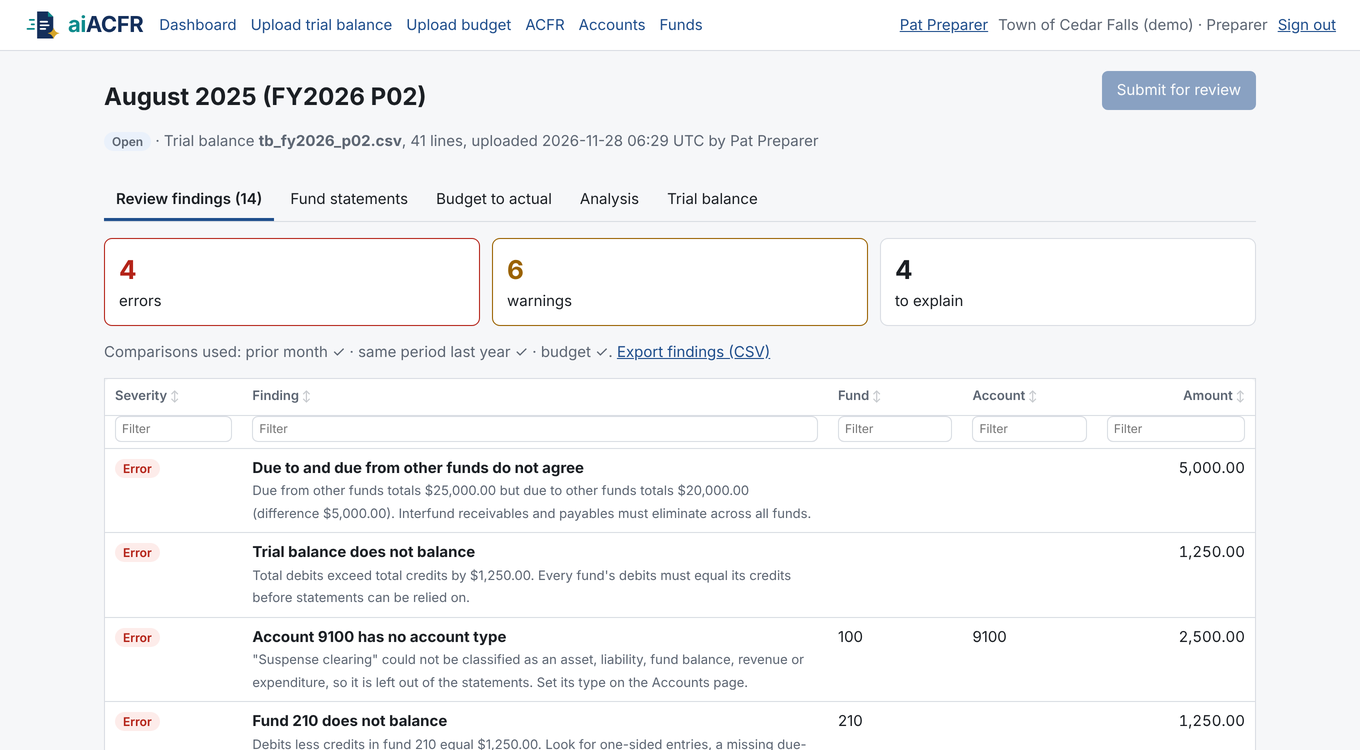
- Every upload is checked automatically for errors, warnings and items to explain: unbalanced funds, unmapped accounts, interfund mismatches and budget overruns.
- Budget to actual is measured against the share of the year elapsed.
- Claude explains why each item may be an issue and what to check. It's advisory only: your team reviews, dismisses and documents every item.
- On the ACFR worksheet, click Adjust and type the new amounts, and aiACFR proposes the balanced journal entry. Every change needs a reason and an approval.
- New: on the ACFR Analysis tab, Claude suggests this year's entries from last year's. Each suggestion shows why it's proposed, last year's entry, this year's amount and what to verify. They're saved as proposed entries labeled "Proposed by AI", and nothing posts until a person approves.
- Budget, GAAP and GASB 34 layers produce the fund and government-wide statements.
- Tie every audit section to its supporting schedules, on demand.
- Export the basic financial statements to Excel, formatted your way.
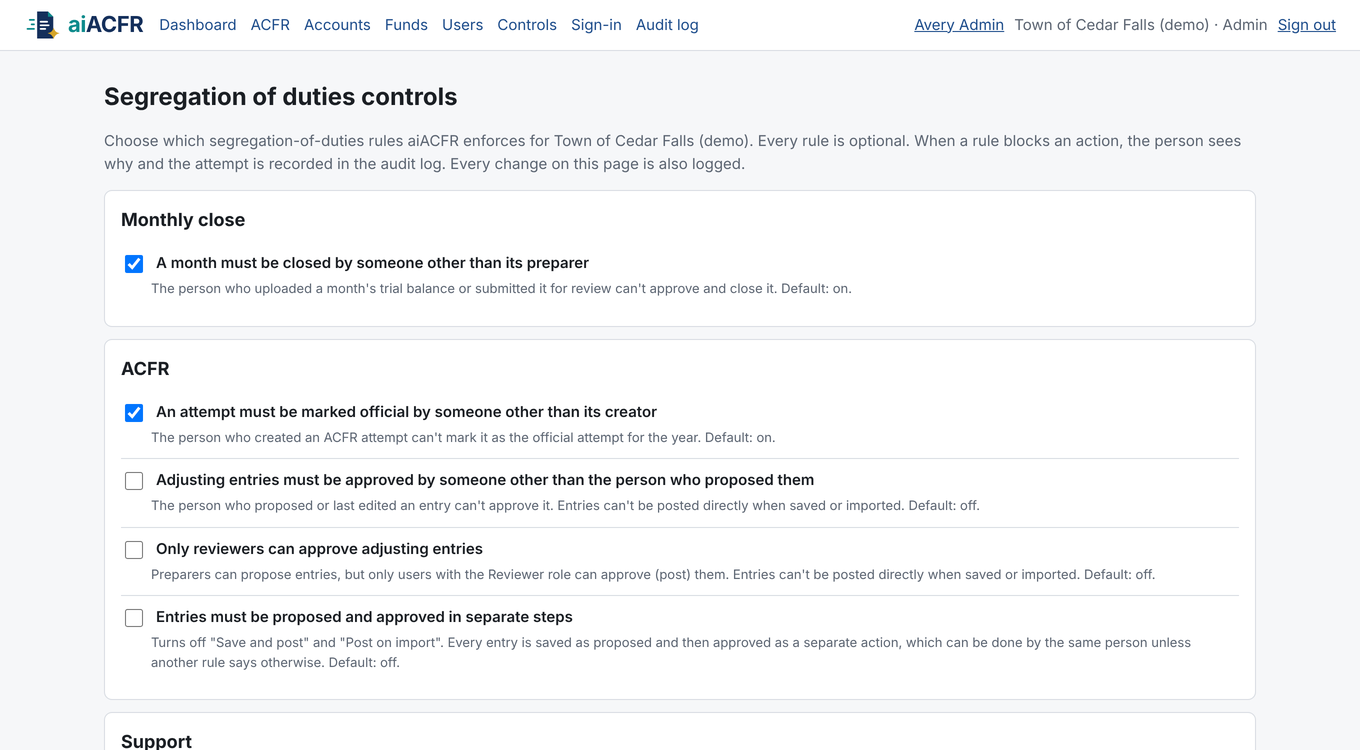
- Optional segregation-of-duties rules, chosen by your administrator, and a tamper-evident audit log of every sign-in, upload, entry and approval.
Shown with a sample town and sample data. AI responses in the tour are examples.
Monthly close
Upload from any system
Export a month-end trial balance as CSV or Excel. aiACFR recognizes common column names, skips title rows, and rejects the whole file if any row is wrong, so a partial trial balance can never pass as complete.
Automated review
- Trial balance and individual funds out of balance
- Accounts that aren't mapped to a financial statement line
- Due to / due from and transfers in / out that don't agree
- Negative cash, abnormal balances and fund deficits
- Fund balance posted to mid-year; year-to-date amounts that go down
- Spending over budget, ahead of pace, or with no appropriation
- Large changes from last year
Statements and analysis
Balance sheets and operating statements for every fund, budget to actual against the share of the year elapsed, monthly and year-over-year activity, and fund balance compared with GFOA's two-month benchmark.
Close workflow
A preparer submits the month, a reviewer approves and closes it, and the month locks. A month with unresolved errors can't be submitted.
ACFR preparation
Attempts and the official version
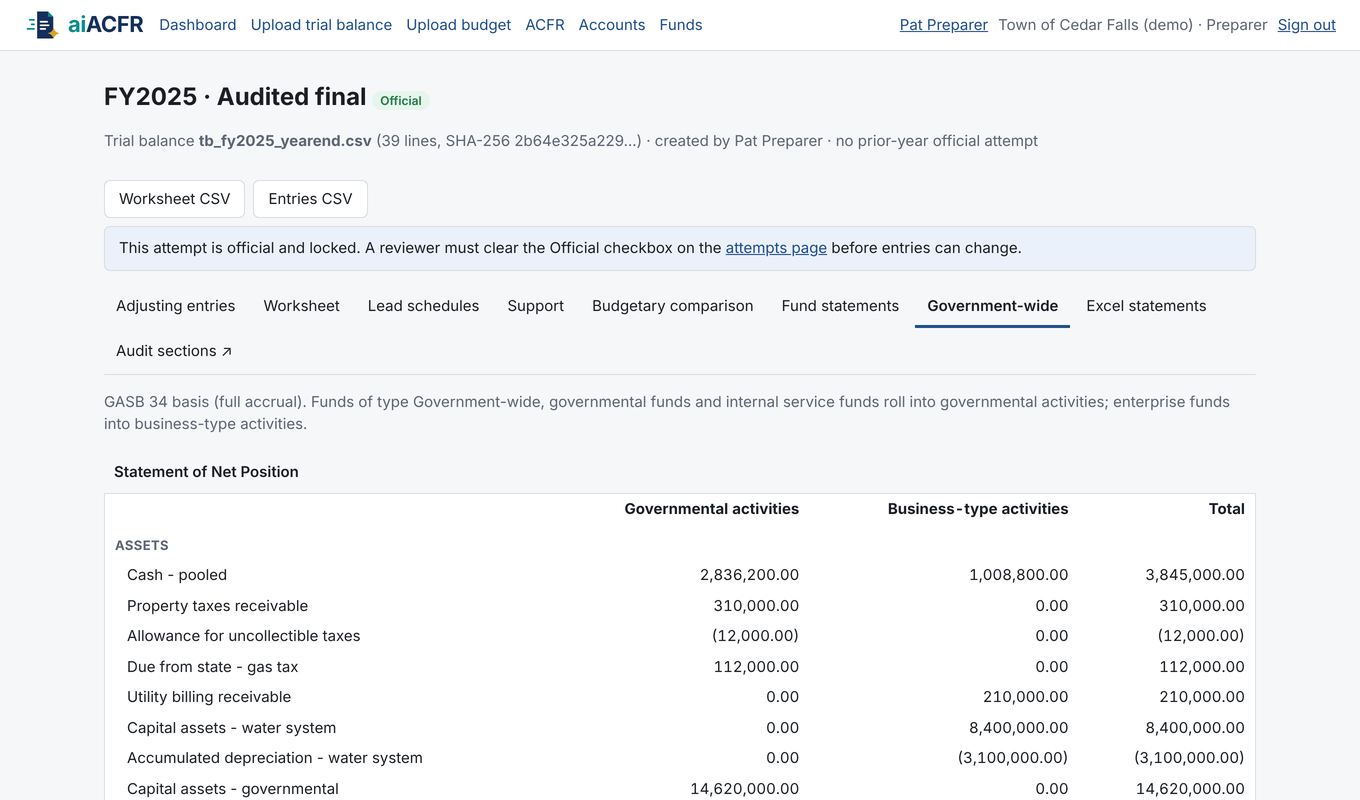
Upload the year-end trial balance as many times as you need. Each attempt keeps its own entries; a reviewer marks one official, and it locks.
Three layers of adjustments
Budget-basis entries feed the budgetary comparison, GAAP entries produce the fund statements, and GASB 34 entries convert to the government-wide statements. Entries must balance (and, for fund statements, balance within each fund) before they can be approved.
Roll forward
Next year's first attempt proposes last year's official entries, repeated, reversed or with amounts left for you to fill in, and checks that every fund's beginning balance equals last year's reported ending balance.
Worksheet editing
Click Adjust above a column, type the new amounts, give a reason, and aiACFR proposes the balanced entry for approval.
Audit sections and support
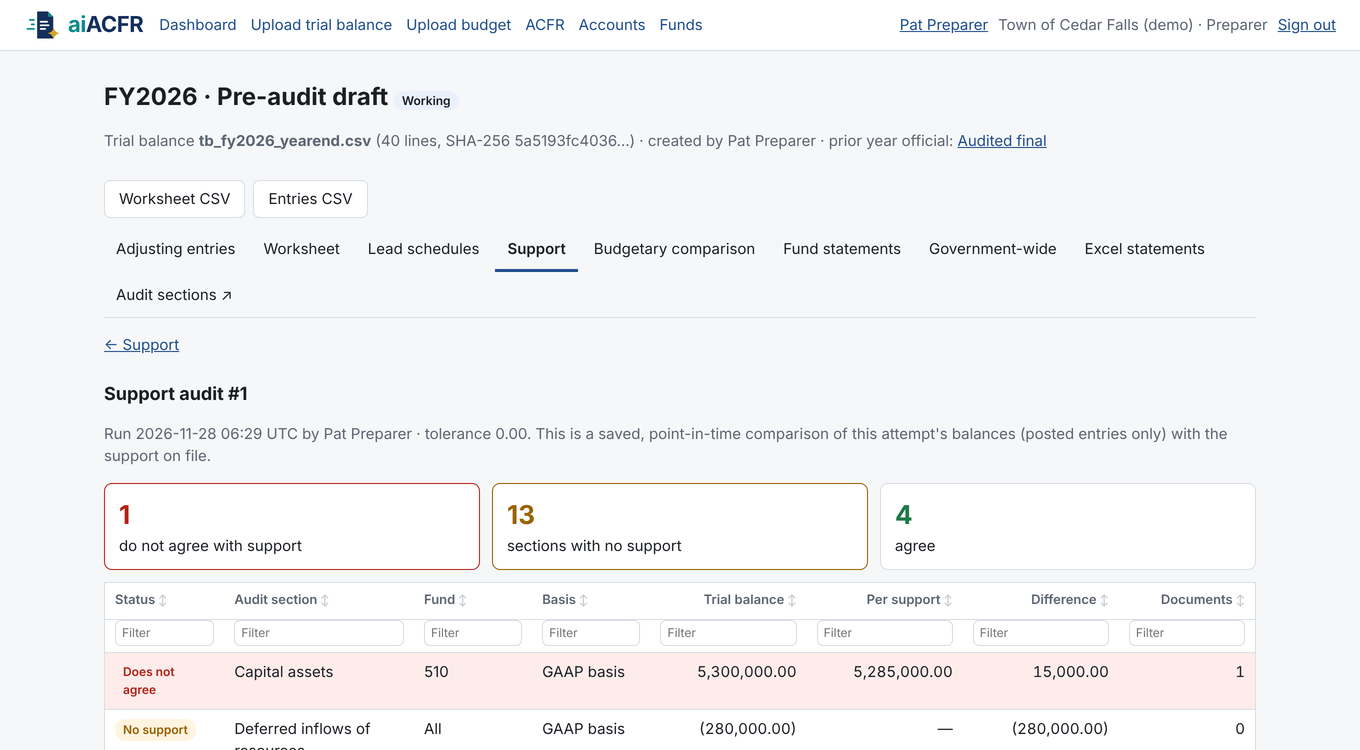
Every account gets an audit section, proposed by aiACFR and adjustable by you, year by year. Upload the schedules behind each section, then run a support audit whenever you choose to see which sections agree, which don't, and which have no support.
Statements in Excel
Generate the basic financial statements as a formatted workbook, with your choice of font, number style, widths and print layout, and every statement the same size relative to the others. A contents sheet lists the tie-out checks.
Roadmap
In development: the functional format of the statement of activities, GASB 54 fund balance classifications, classified statements, and the statement of cash flows.
Controls built in
Administrators choose which segregation-of-duties rules apply: who can close a month, approve adjusting entries, mark the ACFR official, or run the support audit. Five roles (administrator, preparer, reviewer, auditor and viewer) each get only the access their job needs.